
Hotmail Account Delivery Format Explained: Every Field and How to Sign In
October 19, 2026
BuyHotmailAccounts Support Desk· Customer support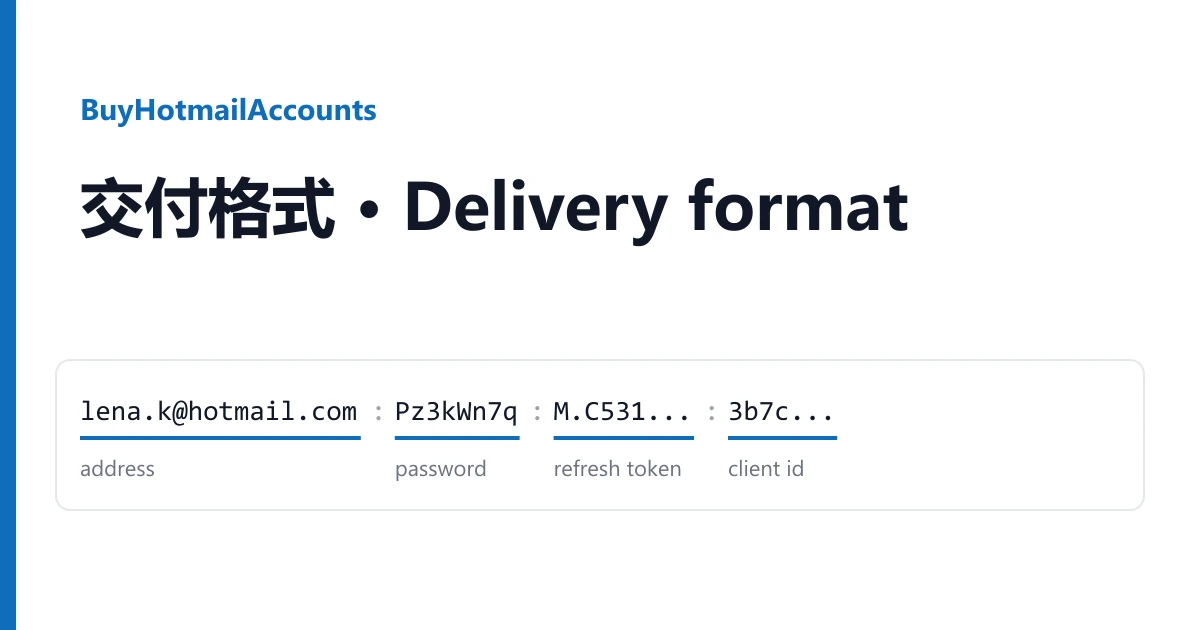
A Hotmail delivery is one line with up to six fields, and each field has one job. Most sign-in trouble comes from putting a field where it does not belong. This guide from BuyHotmailAccounts takes the line apart first, then signs in with it.
Reading your line
Lines are on your order page. The usual shape:
lena.kovac88@hotmail.com|Pz3kWn7q24|M.C531_BAY.0.U.-Cx7Rt...|9e41d07a-26c8-4b3f-8d15-7fa2c6e90b34
address | password | refresh token | client id
The separator may be |, : or ;, and some listings put the client id before the token, so tell the fields apart by their look:
| Field | Looks like | What it is for |
|---|---|---|
| Address | Always first, ends in @hotmail.com or @outlook.com | Web sign-in, and the user name in programs |
| Password | Right after the address | Web sign-in only |
| Refresh token | Very long, starts with M.C5 | Programs that read mail through Microsoft's API (IMAP, POP3, SMTP with OAuth2, or Graph). Not typed into any web page |
| Client id | 36 characters in five dash-separated groups | Goes to the program together with the token |
| Recovery email | A second address, on some listings with its own password | Only when Microsoft asks to confirm it |
| 2FA key | A short run of letters and digits, on a few listings | Turns into the 6-digit sign-in code |
Signing in on the web
- Open outlook.live.com and enter the address. If Microsoft offers to send a code, choose "Use your password" and enter the password.
- If it asks for a code and your line has a 2FA key, paste the key into the online 2FA code generator and type the 6 digits.
- If it asks you to add security info, choose skip. "Skip 7 days" listings are sold with this pass.
Some listings say to read mail with the token instead of a browser. Follow your listing.
When it does not work
"Wrong password". Copy the password field alone, without the separator.
The program rejects the token. Check it was copied whole and paired with its own client id.
Warranty
If an account does not work the way its listing says, open a ticket from your order page within the warranty window shown on the listing. Name the account and attach a screenshot. It is replaced from the same listing, or refunded if the listing has run out. Signing in never voids the warranty. Bans caused by bulk or automated activity are not covered. Every listing is in the catalogue.